If you’re a college student, you’ve probably come across a time when you need to create some sort of media. For that, you need a solid editor like MKV Video Makers. It is known for its support for multiple tracks of audio & subtitles, and the ability to create high-quality footage without headaches. The thing is, editing MKV files can sometimes feel like a minor hurdle. But you’re in luckthere are plenty of tools designed to make it easier.
In this post, I’m going to walk through 15 video makers that handle MKV files well, especially student-friendly ones—and I’ll highlight what makes each one worth your time. Let’s dive.
#1 OpenShot
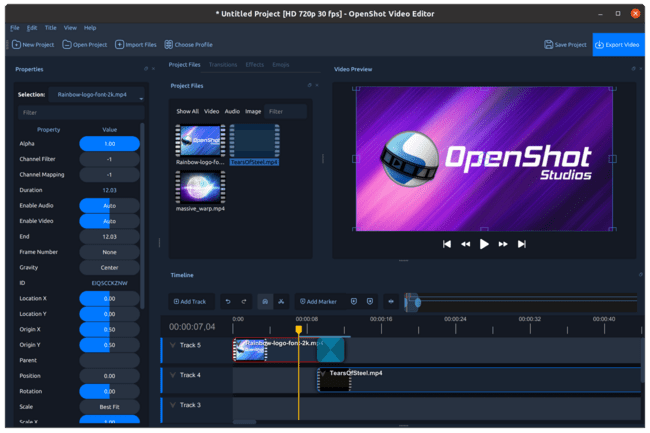
A free and open-source MKV video editor, OpenShot was created with ease of use and accessibility in mind. College students who wish to create class projects, presentations, or short videos without having to worry about paywalls or watermarks would find it ideal. Even for novices, the drag-and-drop interface feels natural. Clips can be cut, songs can be layered, transitions can be added, and output in a number of formats, including MKV. Unlimited tracks, 3D titles, and simple animation tools are also supported by OpenShot. Even though OpenShot isn’t as quick as high-end editors, its open-source community is always making improvements, which makes it the preferred option for students who desire creative freedom without breaking the bank.
#2 Shotcut
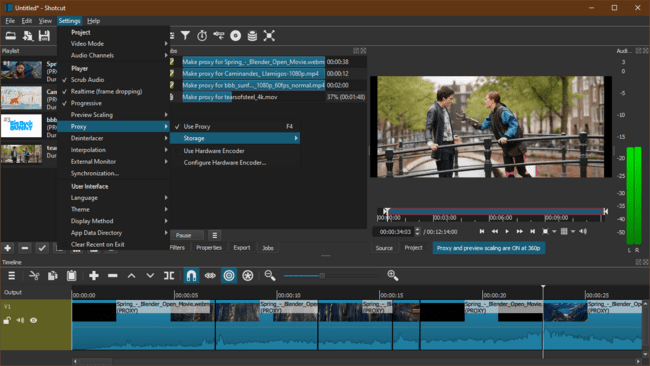
Shotcut stands out as one of the most reliable free MKV editors with a professional-looking interface. It’s open-source, runs on Windows, macOS, and Linux, and supports nearly every video format you’ll ever need. For students learning media editing or working on coursework, Shotcut offers more control than lightweight editors—multi-track timelines, video scopes, transitions, and filters for both audio and video. It’s not bloated with gimmicks, and the performance is generally stable for mid-range laptops. The learning curve is moderate, but once you get the hang of it, you’ll find Shotcut surprisingly powerful for a free, no-strings-attached MKV editing experience.
#3 Kdenlive
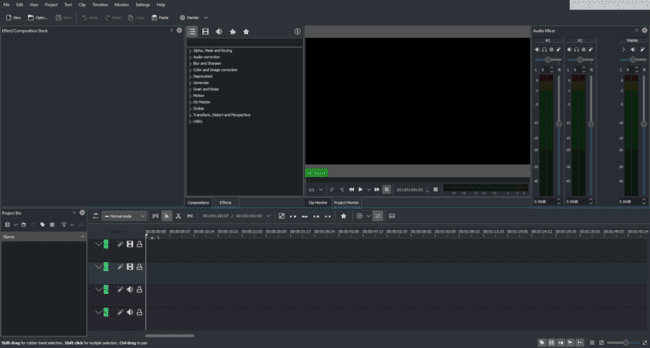
Kdenlive (KDE Non-Linear Video Editor) is a gem for students who want professional-grade editing without the price tag. Supporting MKV natively, it allows multi-track editing, color correction, and real-time preview, all wrapped in an organized interface. It’s built on the robust MLT framework, ensuring smooth performance across platforms. Students can experiment with transitions, effects, keyframes, and titles effortlessly. It’s perfect for film students or creators who crave deeper timeline control. Though its complexity may seem intimidating at first, the reward is huge—Kdenlive grows with your skill level, helping you transition from simple edits to high-quality video production naturally.
#4 DaVinci Resolve
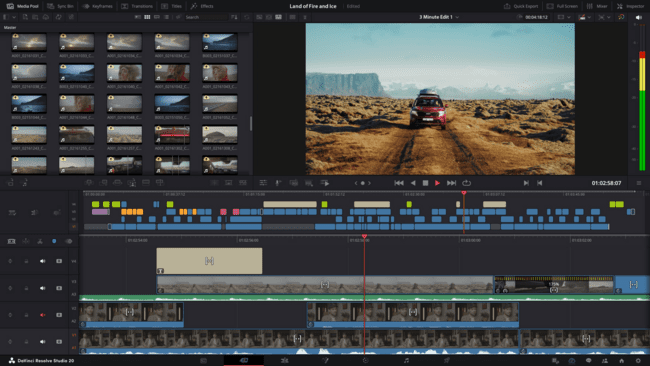
Indeed, DaVinci Resolve supports MKV and is a powerful tool. Although this program is made for serious video work, it kindly provides a student-friendly free edition. Professional color grading, motion graphics, sophisticated editing, and even integrated audio post-production capabilities are all included. It’s similar to having a whole movie studio in one app. You will need a powerful laptop, of course, but the benefits are enormous. Resolve’s accuracy is useful for students studying film, content creation, and even engineering who are giving presentations. It’s a complete creative suite that can give your college projects a studio-caliber appearance, not simply an MKV editor.
#5 VideoProc Vlogger
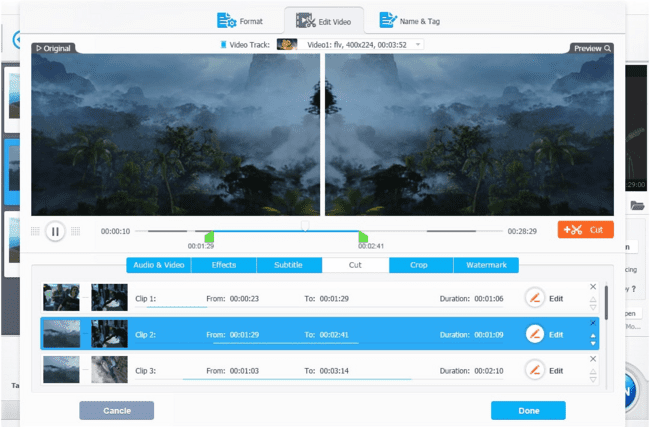
VideoProc Vlogger is perfect for students who want an easy-to-learn MKV video maker with modern aesthetics. It supports a wide range of formats and includes features like motion effects, split-screen editing, and advanced audio controls. Unlike heavier tools, it’s optimized for low-spec laptops, meaning editing won’t freeze your system mid-project. The intuitive timeline lets you experiment creatively—perfect for YouTube intros, class assignments, or club promotions. Students also love its clean interface and straightforward export settings. Overall, VideoProc Vlogger makes professional-looking videos achievable for absolute beginners, combining simplicity, stability, and just the right amount of editing power.
#6 VSDC Free Video Editor
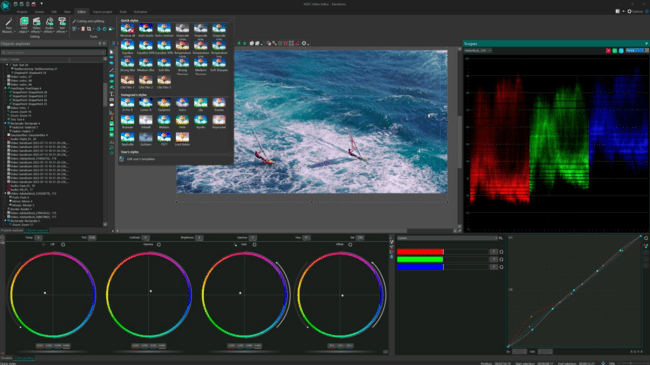
Among the most widely used MKV-compatible editors for Windows users is VSDC. Multi-track editing, motion tracking, graphic effects, and even 4K capability are just a few of its many features. It feels professional even though it’s free, allowing students to produce polished work without having to buy software. Once you get the hang of it, the interface is remarkably efficient, despite its initial complex appearance. Faster rendering on small laptops is also made possible via VSDC’s hardware acceleration. VSDC offers a clever blend of functionality, adaptability, and accessibility for college students who must create instructional films, tutorials, or imaginative narratives.
#7 Icecream Video Editor
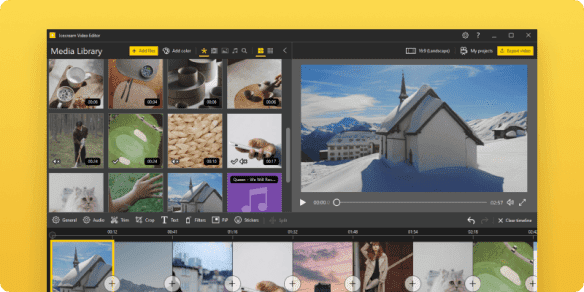
Icecream Video Editor is just as smooth, straightforward, and surprisingly user-friendly as its name suggests. College students who wish to edit MKV videos fast without becoming bogged down in complicated menus will find it ideal. In only a few minutes, you may add text or background music, rotate, cut, and merge. The export options cover common formats, the timeline is clear, and the transitions appear smooth. It’s more than sufficient for light to moderate editing chores, such as a vlog, class presentation, or video report. Icecream Video Editor is a useful student companion despite not being a tool for complex effects. It excels in accessibility and time efficiency.
#8 Movavi Video Editor
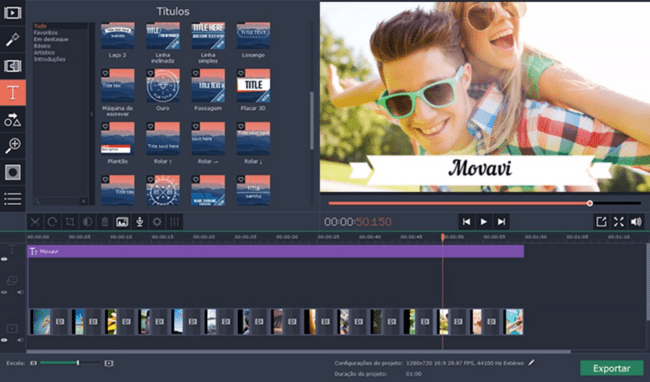
Movavi Video Editor feels it’s designed for college students. The software is visually appealing and fast. It supports MKV and multiple other formats, ensuring smooth compatibility no matter where your footage comes from. You can edit with pre-made templates, transitions, filters, and text overlays. What stands out is how balanced it feels—professional enough for formal presentations yet relaxed enough for creative side projects. Movavi also includes handy tutorials right inside the app, making it beginner-friendly. If you’re making educational content, social videos, or student documentaries, Movavi saves time while still producing sharp, modern results without demanding a steep learning curve.
#9 Nero Video
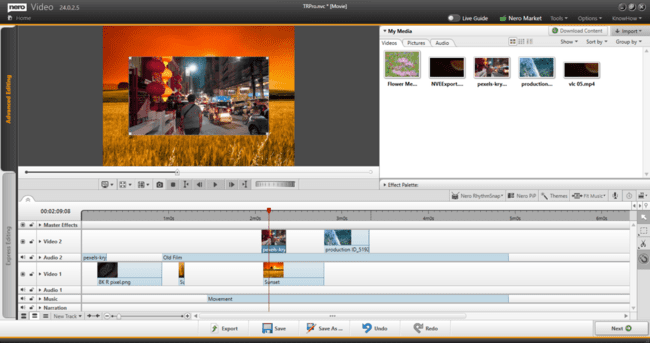
Students have a lot of creative freedom with Nero Video, a feature-rich MKV video creator. Its robust timeline editor has more than 1,000 templates and effects, supports 4K, and allows multi-camera editing. It’s perfect for those studying film or multimedia who seek affordable, high-quality work. Another benefit of the software is its guided workflow, which makes it easy for novices to understand complex editing. Easy MKV file import, visual editing, and high-quality output exporting are all available to students for use in the classroom and online. Even though Nero Video isn’t free, serious college creators will find its extensive toolkit and reliable performance to be well worth the expense.
#10 Avidemux
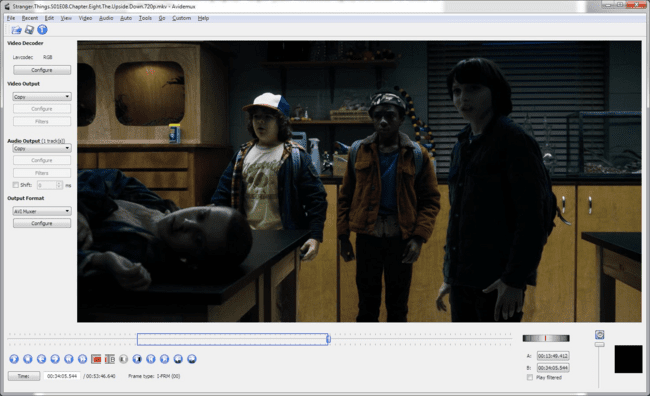
Avidemux is the minimalist hero of MKV editors. It doesn’t overwhelm you with flashy effects; instead, it focuses on speed and simplicity. You can cut, trim, encode, and filter MKV files in seconds—no need to convert formats first. It’s perfect for students who just want to polish video submissions or prepare short clips for research presentations. Avidemux supports scripting and batch processing too, which tech-savvy students might appreciate. The lightweight footprint means it runs easily on modest laptops. In short, Avidemux is straightforward, efficient, and incredibly handy for everyday college editing needs.
#11 HitFilm Express
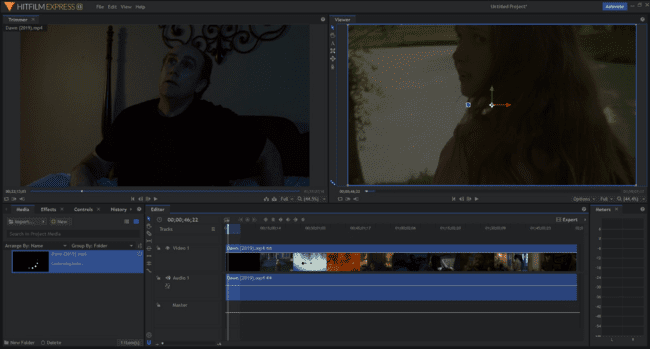
HitFilm Express merges professional editing with accessible design, making it a top choice for creative students. It supports MKV and most major file types, offering a powerful toolkit for visual storytelling. You can add cinematic effects, keyframe animations, or color grading—all for free. Perfect for film majors or content-driven students, it helps you learn real production workflows while building something impressive. The learning curve is moderate, but the community tutorials are excellent. Whether you’re editing a short movie, a class ad, or a YouTube skit, HitFilm Express gives you big-studio energy with zero cost attached.
#12 Lightworks
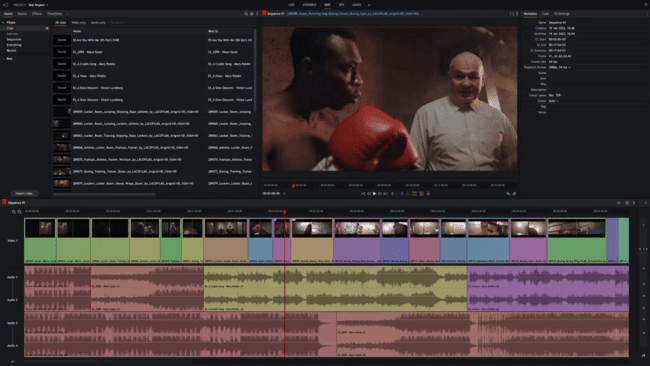
Lightworks is a high-end editor with a generous free edition. It is ideal for serious media or communication students because it supports MKV and is utilized in real film production. You get real-time effects, precise trimming, and multi-track editing. The interface appears complicated at first, but as you get used to it, it’s well-designed. Learning Lightworks is worthwhile if you intend to work in post-production or want to give your class films a more cinematic feel. It is a strong candidate for aspirational student film producers due to its seamless workflow and excellent export possibilities.
#13 CapCut
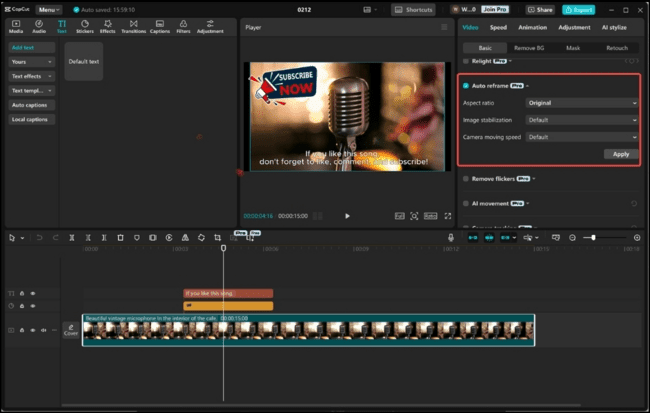
CapCut has exploded in popularity among students for being fast, free, and fun. Originally a mobile editor, it now offers a robust desktop version supporting MKV and multiple other formats. Its timeline is beginner-friendly yet surprisingly flexible—you can edit transitions, filters, subtitles, and overlays with ease. College students love it for social-media projects, reels, and digital storytelling assignments. The cloud sync between mobile and PC is a bonus, letting you start on your phone and finish on your laptop. CapCut’s quick learning curve and creative tools make it a go-to for modern, short-form college content.
#14 Filmora
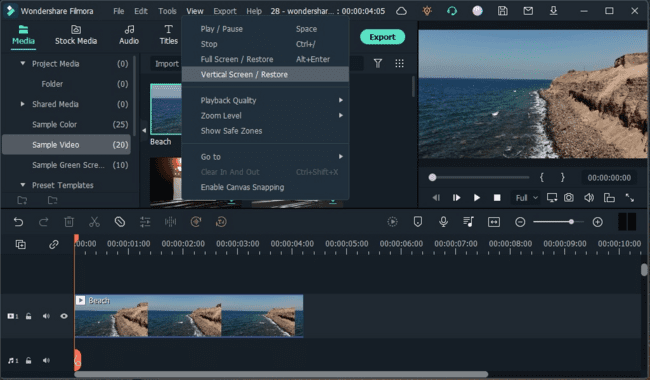
Filmora is a well-known MKV-friendly video maker that blends professionalism with simplicity. Its interface is polished, the effects library is rich, and it offers built-in templates for faster editing. Students enjoy its drag-and-drop flow, animated titles, and instant preview options. Whether you’re building a documentary, a class presentation, or a personal vlog, Filmora keeps the process smooth. It also offers a free trial and student discounts for premium features. The best part? You get impressive results with minimal technical effort, making Filmora one of the most balanced editors for busy college creatives.
#15 VideoPad Video Editor
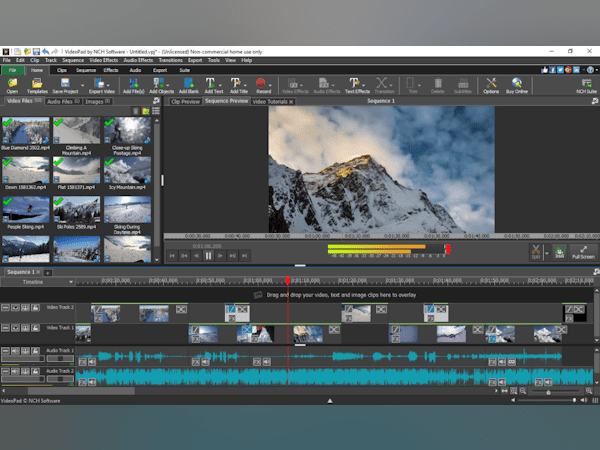
VideoPad is perfect for college students since it blends functionality and simplicity. In addition to supporting MKV, it has advanced options for audio mixing, effects, and transitions, as well as drag-and-drop editing. It feels incredibly light, and you don’t need a powerful computer to create amazing videos. It is frequently used by students for creative club projects, interviews, and academic assignments. Time is saved by its real-time preview feature, and exporting is simple. VideoPad offers just enough depth for novice editors to advance their abilities without becoming unduly complicated or overwhelmed.
Final Words
MKV file editing doesn’t have to be difficult. With the appropriate video creator, you can spend less time battling file format problems and more time telling stories, creating beautiful images, and producing high-quality audio. The 15 tools listed above offer you options to suit your goals, pace, and budget, whether your next project is a group study video, a YouTube vlog, a class presentation, or a student film.
Keep in mind to start small, settle in, and then improve as your needs change. Even if the features are important, it’s how you realize your ideas that really makes an impression.