Overview
Stellar Repair for Outlook – Online PST Repair tool is a browser-based service for fixing corrupt or damaged Outlook PST files — without installing anything and without needing Microsoft Outlook on your machine. You upload a corrupt PST file through your browser, the service repairs it on its servers, and you preview the mailbox content structure and download the recovered mailbox. It runs on all major browsers (Chrome, Firefox, Edge, Safari) and offers a genuinely free tier alongside a paid Premium plan.
This review looks at what the online Outlook PST repair tool does well, where it falls short, and — importantly — when those shortcomings mean you are better served by the desktop edition instead.
How It Works
The process is refreshingly simple and requires no technical setup:
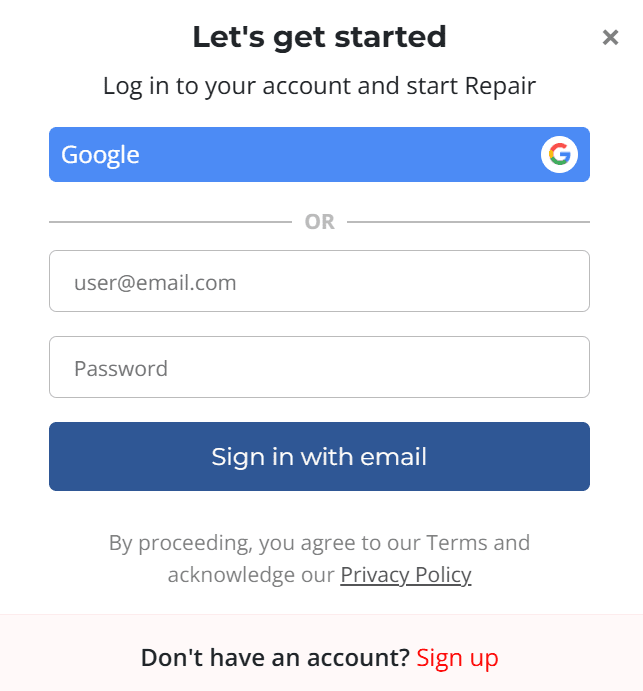
- Sign in. Visit the repair page, click “Repair PST File,” and sign in with Google or an email and password. Account creation takes under a minute.
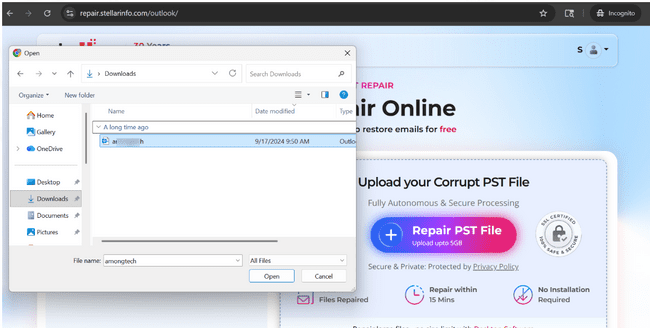
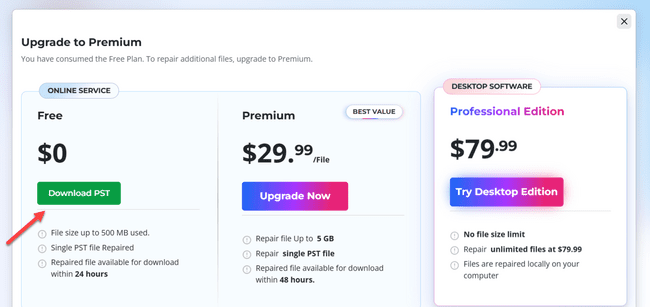
- Upload your corrupt PST file. The Free plan handles files up to 500 MB; Premium extends this to 5 GB.
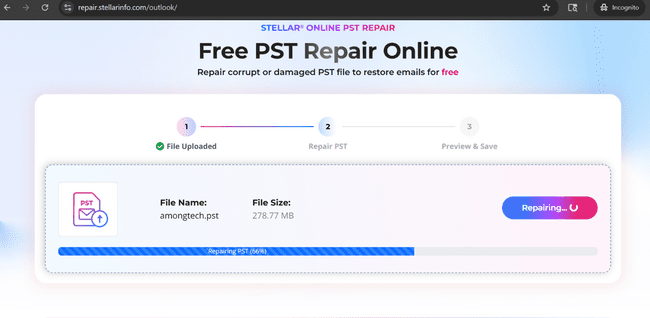
- Repair. The service scans the file to locate corruption, then repairs it automatically in a fully automated environment without any human touch. Most files are processed within about 15 minutes, depending on size and corruption level.
- Preview and download. You can review the recovered folder structure and item count before downloading. Repaired files are auto-deleted afterward (24 hours on Free, 48 hours on Premium).
It restores the usual mailbox contents — emails, attachments, contacts, calendars, tasks, notes, and journals — across PST files from Outlook 2003 through 2021, in both ANSI and Unicode formats.
What the Online Tool Does Well
- No installation, no Outlook required. This is its single biggest advantage. When Outlook itself is broken, or you are on a Mac, a locked-down work machine, or a borrowed computer, a browser-based fix is genuinely useful. There is nothing to download and nothing to configure.
- A real free tier. Files up to 500 MB can be repaired at no cost, and you get a folder-structure preview before committing — so you can verify it actually recovered your data.
- Fast for typical cases. For smaller, moderately corrupted files, the roughly-15-minute turnaround is convenient.
- Cross-platform and cross-device. Because it lives in the browser, it works the same whether you are on Windows, macOS, or even a tablet.
Where It Falls Short — and Where the Stellar Repair for Outlook Desktop Steps In
This is where an honest assessment matters most. The online tool’s limitations are not dealbreakers for everyone, but each one points to a situation the Stellar Repair for Outlook desktop professional edition handles better.
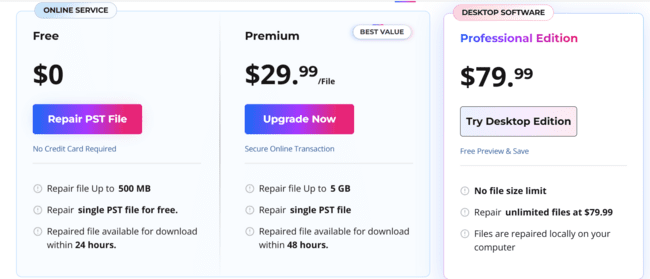
- File-size caps. Free stops at 500 MB and Premium at 5 GB per file. That is fine for a typical mailbox, but heavily used or long-archived PST files routinely run well beyond 5 GB. Once you hit that ceiling, the online tool simply cannot take the job. The desktop software has no file-size limit at all, which is the cleaner answer for large or archival mailboxes.
- You have to upload your mailbox to a third-party server. This is the trade-off worth thinking hardest about. Repairing online means your entire PST — potentially years of confidential correspondence — travels to and is processed on an external service. The vendor states the process is automated with no human access and that files are auto-deleted within 24–48 hours, but for regulated industries, legal data, or anything sensitive, that may not clear your internal policy regardless of the safeguards. The desktop edition processes everything locally on your own computer, so the data never leaves your control — often the deciding factor for businesses and IT teams.
- One file at a time, priced per file. The online service repairs a single PST per session, and Premium is charged per individual file. If you are dealing with multiple corrupt mailboxes, those per-file costs add up quickly. The desktop Professional edition repairs unlimited files under one license, which is far more economical at volume.
- Upload time depends on your connection. A “fast” 15-minute repair can be undone by a slow upload of a multi-gigabyte file. Local processing on the desktop tool sidesteps the bandwidth bottleneck entirely.
- Limited export and migration options. The online tool focuses on returning a repaired PST. If you need to export directly to Office 365 or live Exchange, split or compact large files, or save to formats like EML, MSG, PDF, or HTML, those capabilities live in the desktop Technician and Toolkit editions, not the browser service.
Online vs. Desktop at a Glance
| Capability | Online Service | Desktop Software |
| Installation | None — runs in browser | Required (Windows) |
| Outlook needed | No | Yes, to save PST |
| File-size limit | 500 MB (Free) / 5 GB (Premium) | No limit |
| Multiple files | One file per session | Unlimited (one license) |
| Data location | Uploaded to vendor server | Processed locally |
| Export / migration | Repaired PST only | PST, EML, MSG, PDF, HTML, O365, Exchange |
| Pricing model | Free / per file | One-time purchase |
A Note on the Marketing Claims
The service’s pages lean on confident phrasing — “100% integrity,” “100k+ files repaired,” secure-and-private assurances. These are reasonable signals but worth reading with a clear head. No repair tool can guarantee complete recovery; results depend on how badly the file is damaged and whether data has been overwritten. A fair expectation is “recovers most or all items in most cases,” not a guarantee. Likewise, the privacy assurances describe the vendor’s stated policy and infrastructure — you are still trusting both when you upload.
Pricing Snapshot
The online Free plan costs nothing (up to 500 MB). Premium is charged per file (listed around $29.99, up to 5 GB). The desktop Professional edition was listed around $79.99 as a one-time purchase for unlimited files, with higher Technician and Toolkit tiers adding migration, splitting, and conversion tools. Pricing varies by region and promotion, so confirm current figures before buying.
Bottom Line
Stellar Repair for Outlook – online PST repair tool is a convenient, low-friction way to fix a corrupt PST — especially when you do not have Outlook, are not on Windows, or just want a quick one-off repair of a smaller file. The free tier is genuine and the preview-before-download feature is a nice touch.
But its limits are real and they cluster around the same theme: scale and control. Large files (over 5 GB), multiple files, sensitive data you cannot upload, and any need for migration or alternate export formats all push you toward the desktop edition, which processes locally, has no size limit, and handles unlimited files under one license.
The sensible path: if your file is small, non-confidential, and a one-off, start with the free online tool. If it is large, sensitive, one of many, or you need more than a plain PST back, the Stellar Repair for Outlook desktop software is the more appropriate choice. Either way, try Microsoft’s free ScanPST first, and use Stellar’s free preview to confirm recovery before paying anything.
Note: Features, limits, and pricing are drawn from the vendor’s own pages and can change. Verify current details with Stellar before deciding.